Microsoft Office 365 Pro Plus Lifetime Account 5 Devices
Step-by-step activation guide
First time? Please log in and set a new password.
Step 1: Click on “Application”
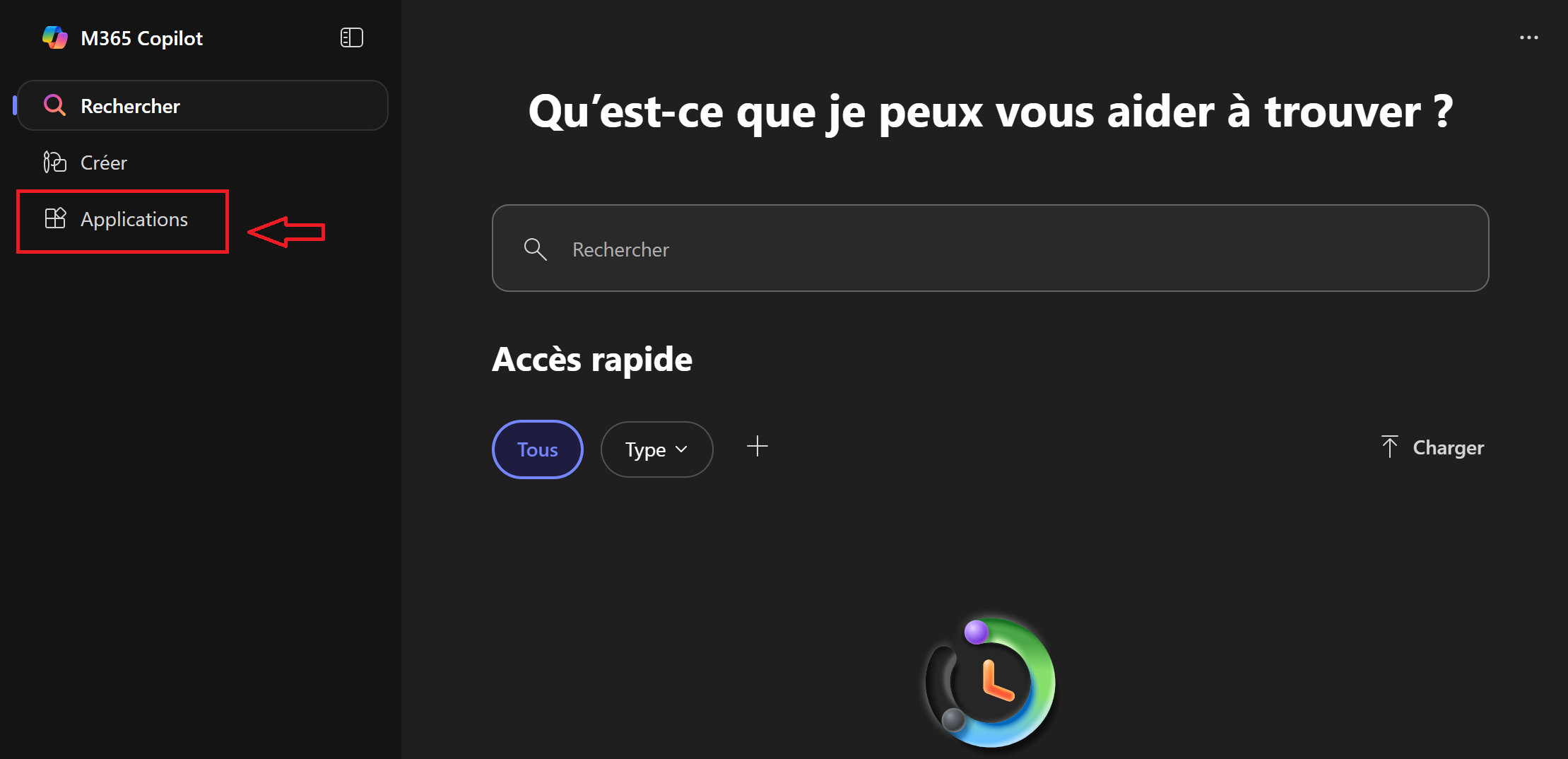
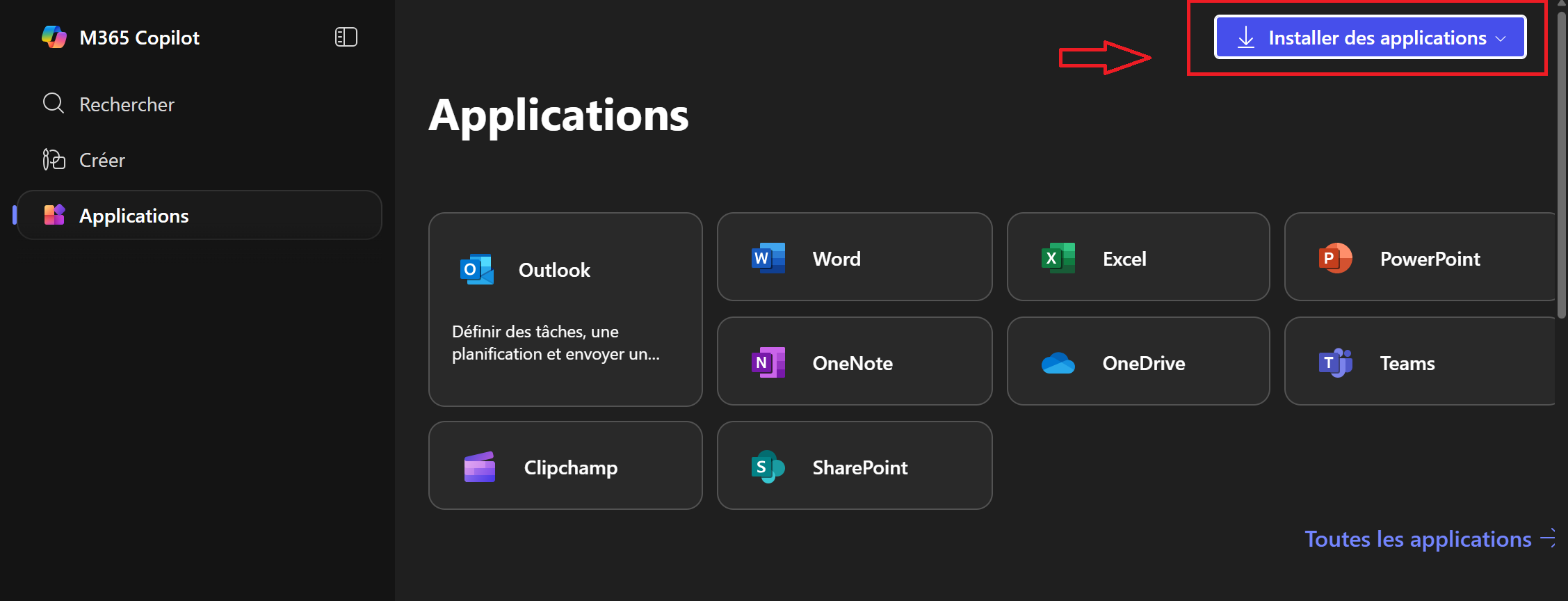
Step 2: Click on “Install Application”
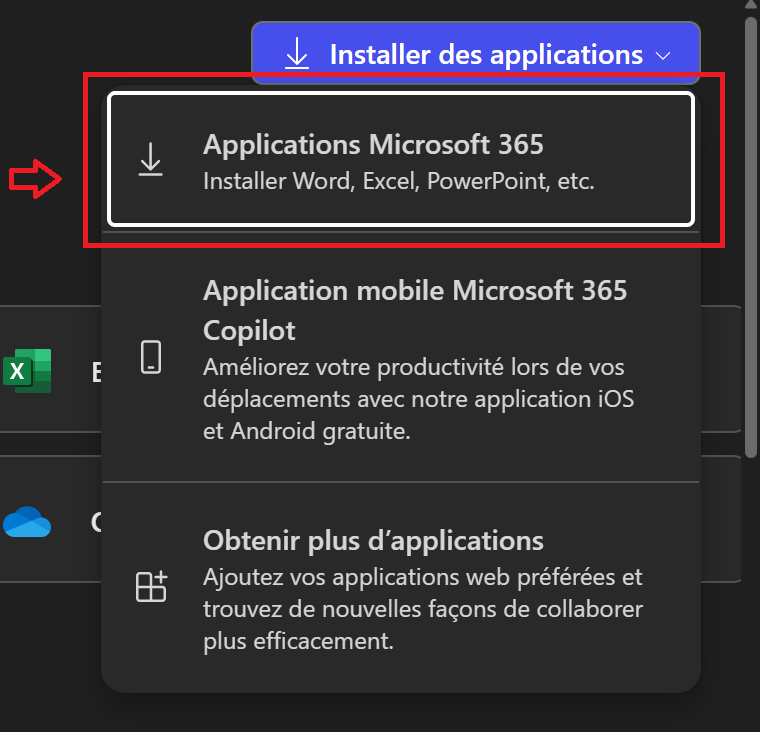
Step 3: Choose “Microsoft 365 Application”
Step 4: Click on “Install Office”
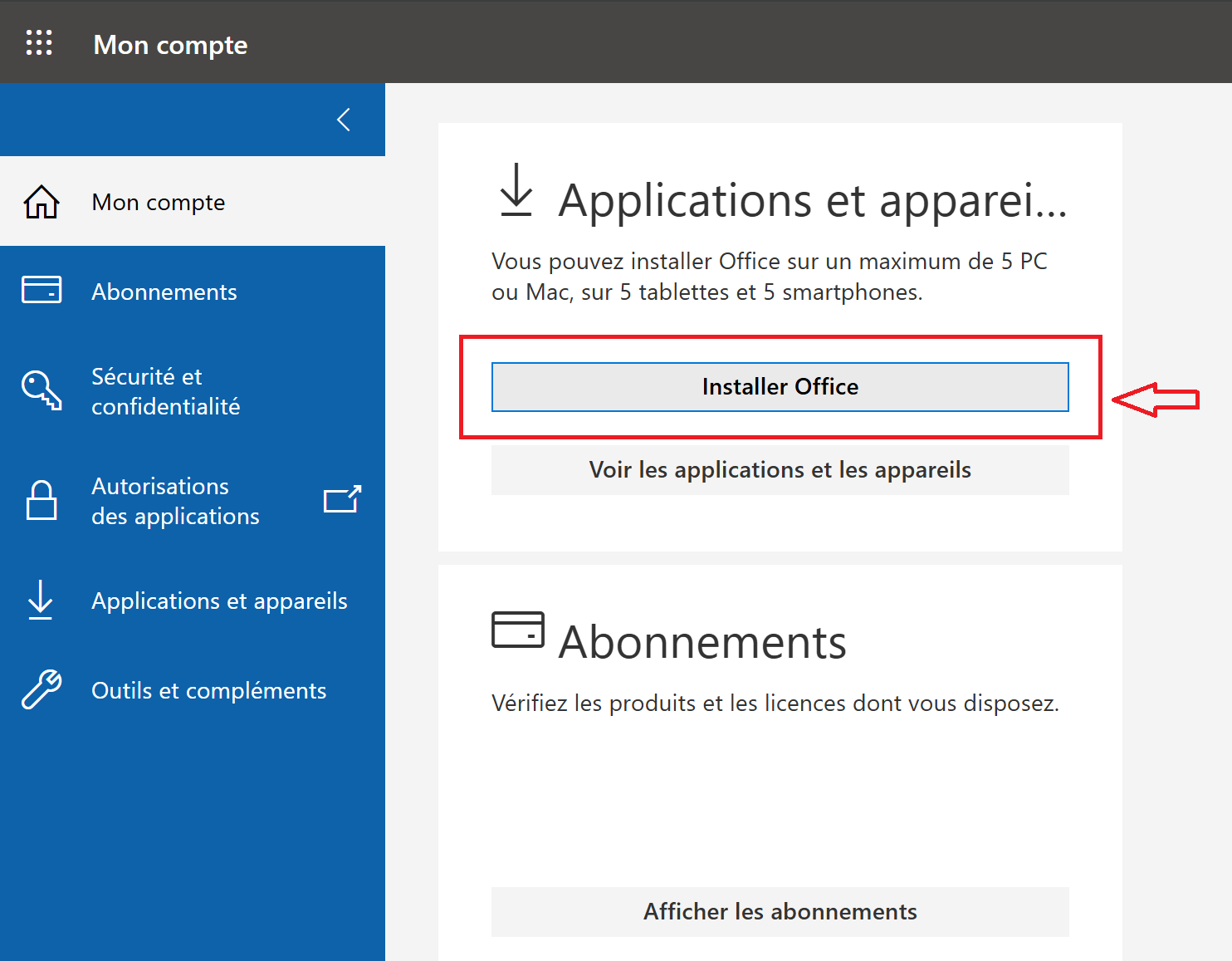
When installation is done, log in with your account to activate Office 365.
Why customers trust MCAKey
Free key replacement
If a key doesn't work, we replace it at no extra cost.
We reply fast
Message us before opening a dispute — most issues resolve the same day.
Real support
Reply to your order email or use live chat, anytime.
Need a hand? [email protected]
Live chat