


No products in the cart.

McAfee Total Protection – Real-Time Security for Up to 5 PCs
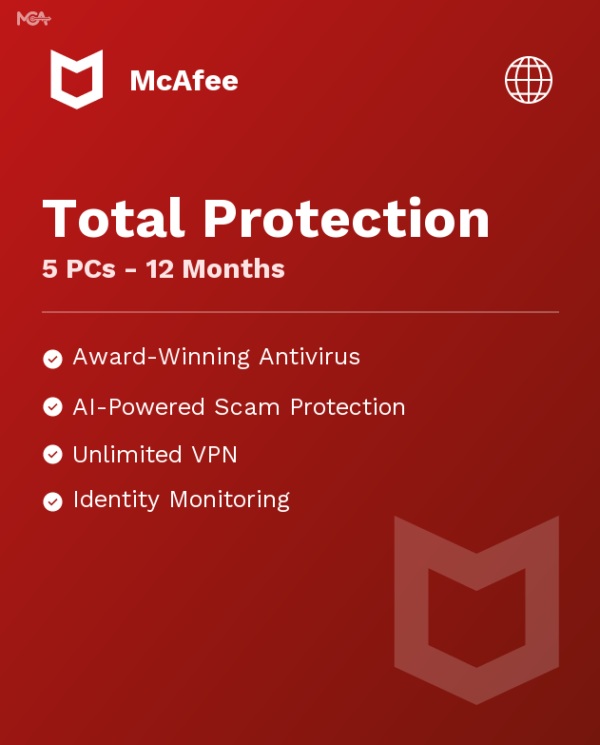
McAfee Total Protection is a 12-month subscription license key for real-time antivirus, firewall, and identity protection across up to 5 PCs, delivered by email. It’s built for households or small offices running more than one PC that want a single subscription instead of buying and tracking separate antivirus software for each machine. This version covers five devices under one activation key, so you’re not managing five individual licenses.
The difference between this and the antivirus already built into your operating system is scope: McAfee Total Protection adds a firewall, a password manager, and identity monitoring on top of core malware scanning, all managed from one dashboard. That’s why it’s licensed and priced as a full security suite rather than a single-purpose scanner.
- License TypeGenuine License Key
- ActivationOnline Activation
- Devices5 PCs
- DeliveryEmail, within minutes
The McAfee dashboard is built around a single status screen — one glance tells you whether every protected PC is up to date and free of threats. Scans run in the background without locking up the machine, and you can trigger a manual scan or a quick scan whenever you’re about to open an unfamiliar file.
For anyone managing more than one computer — a home office with a couple of laptops, or a family sharing one subscription — that single-dashboard view means you’re not checking separate antivirus apps on every machine to confirm everything is covered. One key, one renewal date, five machines protected the same way.
What Is Included in McAfee Total Protection
The core security tools covered by this subscription, on every activated PC.
Real-Time Antivirus & Malware Scanning
Continuously scans files, downloads, and running processes for viruses, spyware, and other malware, blocking threats before they execute. Runs in the background, so you’re protected without remembering to run a scan yourself.
Smart Firewall
Monitors inbound and outbound network traffic on each protected PC and blocks suspicious connections automatically. Useful on public Wi-Fi or any network you don’t fully trust, where an open port is an easy target.
Safe Web Browsing (WebAdvisor)
Flags risky links and downloads in your browser and search results before you click them. Handy when you land on an unfamiliar site from a search result or an email link and want a warning before it does damage.
True Key Password Manager
Stores and autofills your passwords, and can unlock with a fingerprint or face scan instead of a master password. Cuts down on password reuse across sites, one of the more common ways accounts actually get compromised.
Identity Monitoring
Watches for your personal information showing up in known data breaches and alerts you if it does. Gives you a head start on changing passwords before a leaked credential gets used against you.
Ransomware Protection
Detects and blocks the file-encryption behavior ransomware relies on, rather than only recognizing known malware signatures. Matters most against new ransomware variants that haven’t been catalogued yet.
Automatic Virus Definition Updates
Downloads new threat definitions in the background so protection stays current without any manual updating. Since new malware appears daily, this is what keeps day-one protection from going stale a month later.
Coverage for Up to 5 PCs
One subscription activates on up to five separate PCs, each protected independently under the same license. Suits a household with multiple computers or a small office that doesn’t want five separate purchases.
McAfee Total Protection — Built for More Than One PC
What this subscription covers beyond basic virus scanning.

One Subscription, Five Protected PCs
Instead of buying antivirus software machine by machine, this single McAfee Total Protection subscription activates on up to five PCs. Install it on a desktop, a couple of laptops, and any other computers in the house, and each one runs its own independent scan and firewall under the same license.
That matters most for households and small offices where computers get added over time — you’re not stuck buying a new license every time another PC joins the network. All five devices share the same 12-month term, so there’s one renewal date to track instead of five.

Real-Time Scanning That Doesn’t Get in Your Way
The antivirus engine runs continuously in the background, checking files as they’re opened, downloaded, or executed rather than waiting for a scheduled scan to catch a threat after the fact. Most detections happen before a malicious file ever finishes writing to disk.
You can still run a full manual scan any time — useful after plugging in a USB drive of unknown origin or downloading a file from an unfamiliar source — without disabling the always-on protection running the rest of the time.

Browse and Shop Without Second-Guessing Every Link
WebAdvisor checks search results and links against McAfee’s threat database and flags risky sites before you click through — one of the more common ways malware actually gets onto a PC in the first place. The firewall backs this up by blocking suspicious inbound connections at the network level.
That combination — link-level warnings plus a firewall — covers both the moment you click something you shouldn’t and the moment something tries to reach your PC uninvited.

Ransomware and Identity Protection Beyond Basic Antivirus
Ransomware detection watches for the file-encryption behavior itself, not just known malware signatures, which is what catches new variants before they’ve been catalogued. Identity monitoring runs alongside it, checking whether your personal details have surfaced in a data breach.
Together they cover two threats a basic antivirus scanner alone doesn’t: files getting encrypted for ransom, and credentials leaking somewhere outside your control entirely.
McAfee Total Protection
What is included with your purchase.
Genuine License Key by Email
Your McAfee Total Protection activation key is emailed directly to you after purchase, ready to redeem at mcafee.com. No disc, no physical packaging, nothing to wait on.
12-Month Subscription
This key activates a 12-month McAfee Total Protection subscription covering up to 5 PCs. Once the 12 months are up, you’ll need a new key to keep protection running.
Online Activation in Minutes
Redeem the key at mcafee.com and the subscription activates immediately — no phone call needed. Install the app on each of your PCs and it starts scanning right away.
Full McAfee Total Protection Update Access
Virus definitions and app updates download automatically for the life of the subscription, so protection against new threats doesn’t require anything from you.
Coverage for Up to 5 PCs
Install and activate on up to five separate PCs under this single key, each one protected independently with its own scan and firewall status.
Activation Support Included
If you run into trouble redeeming or installing your key, reach our support team and we’ll help you get it running.
This subscription covers up to 5 PCs for 12 months from activation. Install the McAfee Total Protection app on each device and sign in with your activation key to start protection — every PC runs its own scan and firewall independently under the same subscription.
McAfee Total Protection — Common Questions
What buyers usually ask before activating this subscription.
Is this a lifetime license?
No — this McAfee Total Protection key activates a 12-month subscription covering up to 5 PCs. It’s not a one-time lifetime purchase; protection runs for the 12-month term you activate, and you’d need a new key to continue past that.
What if activation doesn’t work?
Redemption normally takes a few minutes at mcafee.com. If your key doesn’t activate, contact our antivirus support team and we’ll help sort it out.
How many computers can I install this on?
Up to 5 PCs under this single subscription, each one running its own independent scan, firewall, and protection status.
What’s included beyond basic antivirus scanning?
This McAfee Total Protection subscription also includes a firewall, WebAdvisor safe-browsing protection, the True Key password manager, identity monitoring, and ransomware protection — not just malware scanning on its own.

 McAfee Total Protection –...
 $14.99
