


Windows 11 Pro Workstation 1PC Phone Activation — Built for Serious Hardware
Windows 11 Pro Workstation 1PC Phone Activation is a lifetime, genuine license key for running Windows 11 Pro for Workstations on one PC, delivered by email. It’s built for people running demanding hardware — multiple processors, large amounts of RAM, fast NVMe storage — where the standard consumer edition of Windows starts to hold you back. If you’re a developer, engineer, video editor, or anyone running a workstation-class machine, this is the edition that actually uses what your hardware can do.
The difference from regular Windows 11 Pro comes down to hardware ceilings. Windows 11 Pro Workstation supports up to 4 physical CPUs and far more memory than Home or standard Pro, plus the ReFS file system for better resilience against data corruption on large drives, and Persistent Memory support for near-instant data access on compatible hardware. You get the same familiar Windows 11 interface with support built specifically for high-end hardware underneath it.
- ActivationPhone Activation
- Devices1 PC
- PlatformWindows 11, 64-bit
- DeliveryEmail, within minutes
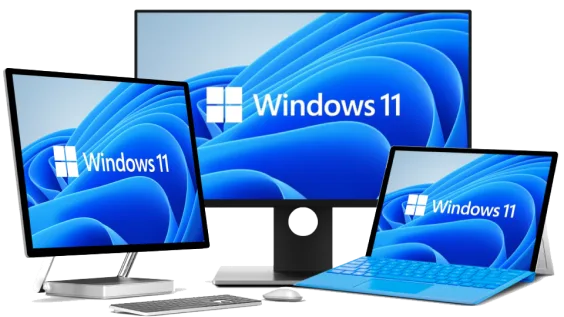
The interface is identical to standard Windows 11 Pro — Start menu, Snap Layouts, the redesigned Settings app — so there’s no relearning curve if you’re moving from a regular installation. What changes is what’s happening underneath: the OS can actually address your extra CPU sockets and memory instead of capping out.
For studios, engineering teams, and freelancers running heavier workloads — CAD, video rendering, VM hosts, compilation servers — this removes the artificial ceiling that the consumer edition puts on hardware most workstation buyers already own.
What Is Included in Windows 11 Pro Workstation 1PC Phone Activation
The core Pro features included with every license, on top of the workstation hardware support.
BitLocker Drive Encryption
Encrypts your entire drive so the data is unreadable if the machine is lost or stolen. Turn it on once in Settings and it runs quietly in the background afterward.
Remote Desktop
Connect to this PC from another Windows device over your network or the internet. Useful if your workstation lives in an office or server room and you need to reach it remotely.
Azure AD Join
Join the machine directly to your organization’s Azure Active Directory instead of a local account. Standard for IT-managed business environments that need centralized identity.
Windows Sandbox
Spins up a disposable, isolated copy of Windows to test an installer or open a suspicious file without touching your main system. It closes and wipes itself clean every time.
Windows Hello
Sign in with your face, fingerprint, or a PIN instead of typing a password every time. Works with compatible webcams and fingerprint readers.
Snap Layouts
Arrange multiple windows into preset layouts with one click instead of dragging edges manually. Genuinely useful once you’re running several apps across a large monitor.
Secure Boot
Verifies that only trusted, signed software loads during startup, blocking rootkits and bootkits before Windows even loads. Enabled by default on compatible hardware.
Group Policy Management
Configure and enforce system settings on the machine centrally. Useful for IT admins standardizing a fleet of workstation-class PCs.
Windows 11 Pro Workstation — Why the Workstation Edition Matters
What actually changes when you move from a standard install to the workstation edition.
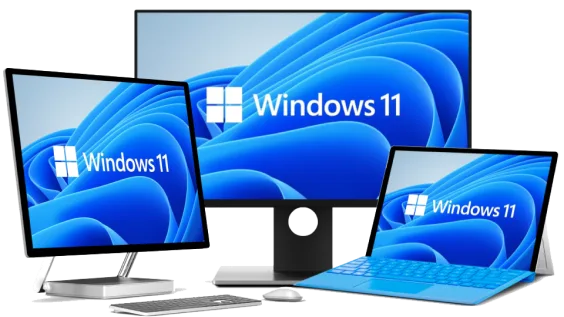
A Real Upgrade From Standard Windows 11
Windows 11 Pro Workstation builds on the same Windows 11 Pro codebase, so every security patch and feature update Microsoft ships lands on your machine the same way it does on any other Pro installation.
The upgrade isn’t cosmetic — it’s about removing hardware limits that most consumer editions impose, so a machine you’ve already invested in stops being artificially capped.
Built for Multi-CPU, High-RAM Hardware
Where standard Windows 11 Pro tops out at a single physical processor, the Workstation edition supports up to 4 CPUs and significantly more RAM — relevant if you’re running a dual-socket workstation or a machine with well over 128GB installed.
It also adds the ReFS file system as an option, which handles large-drive data corruption better than NTFS under heavy write loads, and Persistent Memory support for near-DRAM-speed storage on compatible hardware.

Security Features That Actually Matter for Business Use
BitLocker, Secure Boot, and Windows Sandbox come standard — the same protections available in the retail Pro edition, running on hardware built to handle heavier workloads.
If your workstation connects to a corporate VPN or handles sensitive project files, having full-disk encryption and verified boot in place from day one saves you from configuring it after the fact.

Sign-In and Access Control Built In
Windows Hello lets you skip typing a password on a shared or personal workstation, using a fingerprint reader or camera you already have. Group Policy gives you a way to lock down settings if the machine is shared or managed by an IT team.
None of this needs a third-party tool bolted on afterward — it’s part of the OS install from the first boot.
Windows 11 Pro Workstation 1PC Phone Activation
What is included with your purchase.
Genuine License Key by Email
Your Windows 11 Pro Workstation license key arrives by email, typically within minutes of purchase. No physical box, no shipping wait.
Lifetime License — Pay Once
This is a one-time purchase, not a subscription. Activate it once and it’s valid for the life of the installation, with no renewal fee.
Phone Activation in Minutes
Activation is completed over the phone with Microsoft’s automated activation line — a straightforward process we walk you through in our guide to activating Windows by phone.
Full Windows 11 Pro Update Access
You get every security patch and feature update Microsoft releases for Windows 11 Pro, delivered the normal way through Windows Update.
Workstation-Class Hardware Support
Support for multiple physical CPUs, expanded RAM, ReFS, and Persistent Memory — built for hardware that goes beyond what standard Pro is designed for.
Activation Support Included
If you run into any issue during setup or activation, reach our support team by live chat, WhatsApp, or email.
Requires a PC with a 64-bit compatible processor (1 GHz or faster), 4 GB RAM minimum (workstation-class hardware supports significantly more), 64 GB storage, UEFI firmware with Secure Boot capability, and a TPM 2.0 module.
Windows 11 Pro Workstation 1PC Phone Activation — Common Questions
The questions we hear most before and after purchase.
Is this a one-time purchase or a subscription?
It’s a one-time purchase. You pay once, activate the key, and the license is valid for the life of that installation — there’s no renewal or recurring fee.
What happens if the phone activation doesn’t go through?
This can happen if the automated system doesn’t recognize the installation ID on the first attempt. Follow our phone activation walkthrough, and if it still doesn’t complete, contact our support team and we’ll get it resolved.
Is this 32-bit or 64-bit, and will it work on my hardware?
This license is for 64-bit Windows 11, which is required for the multi-CPU and high-RAM support the Workstation edition is built around. It covers a single PC.
What’s actually different between this and standard Windows 11 Pro?
The interface and day-to-day features are the same. The Workstation edition raises the hardware ceiling — support for up to 4 physical CPUs, more RAM, the ReFS file system, and Persistent Memory — for machines that need it.
Want more ?
![Windows 11 Professional Activation Key [ Online ]](https://mcakey.com/wp-content/uploads/2024/07/windows-11-professional-2-600x745.webp)
Windows 10 Professional + Office 2019 Pro Plus Bundle For 1 PC device
Original price was: $119.99.$9.99Current price is: $9.99. Add to cart![Windows 11 Home Activation Key [ Online ]](https://mcakey.com/wp-content/uploads/2025/04/windows-11-home-2-600x745.webp)
Windows 11 Home Activation Key [ Online ]
Original price was: $99.99.$10.99Current price is: $10.99. Add to cart
Windows 11 Professional OEM 1PC Online Activation
Original price was: $119.99.$11.99Current price is: $11.99. Add to cart
Windows 11 Pro MAK 20PC Online Activation
Original price was: $199.99.$49.99Current price is: $49.99. Add to cart
Windows 11 Pro Workstation 1PC...
Original price was: $119.99.$9.99Current price is: $9.99.