


No products in the cart.
Windows 11 Pro MAK 20PC — Volume License Key for Up to 20 Devices
Windows 11 Pro MAK 20PC Online Activation is a lifetime license key that activates Microsoft’s Windows 11 Pro on up to 20 devices from a single key, delivered by email. It’s a Volume Licensing key — the MAK (Multiple Activation Key) model Microsoft issues to businesses and IT resellers — not a retail key limited to one PC. If you’re setting up a small office, a lab of machines, or a batch of client PCs, this is the version built for that job.
The difference from buying 20 separate retail keys is simple: one purchase, one key, one invoice. Every install checks in against Microsoft’s own volume activation servers over the internet, the same infrastructure used for corporate deployments, so each device activates in minutes without a phone call to Microsoft.
- License TypeVolume (MAK)
- ActivationOnline Activation
- DevicesUp to 20 PCs
- PlatformWindows 11 Pro, 64-bit
- DeliveryEmail, within minutes
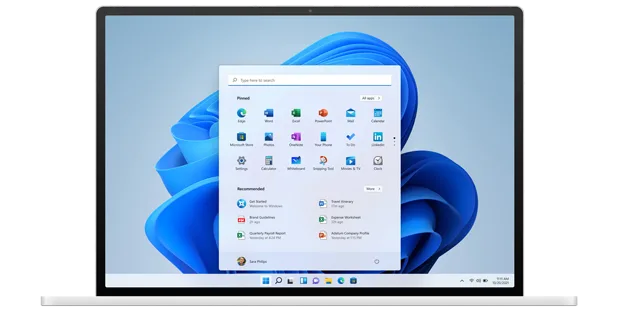
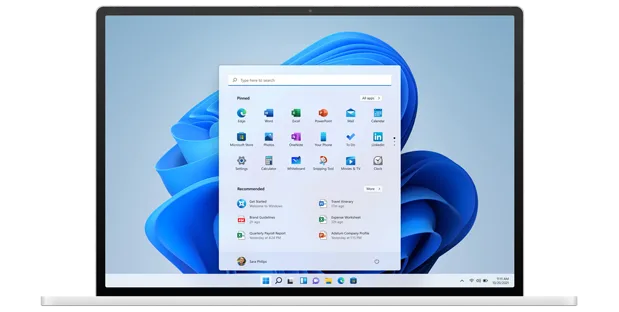
Windows 11 Pro looks and works the same no matter how the key was issued — centered Start menu, Snap Layouts for arranging windows, and a taskbar built around fast switching between apps. Every device activated with this key gets the full retail feature set, not a stripped-down volume build.
For IT admins and resellers, a MAK key is easier to manage than a stack of single-PC licenses: one key covers the rollout, and Microsoft’s own activation count tracks how many of the 20 devices have been used. Certified Microsoft Partner status means the key ships from an authorized channel, not a gray-market reseller.
What Is Included in Windows 11 Pro MAK 20PC
The same Windows 11 Pro feature set, on every one of the 20 devices you activate.
BitLocker Device Encryption
Encrypts your entire drive so the data is unreadable without the recovery key, even if the machine is lost or stolen. Turn it on for any laptop that leaves the office, or any device holding client data.
Remote Desktop
Connect to this PC from another Windows device and control it as if you were sitting in front of it. Useful for reaching an office machine from home, or for IT support without a site visit.
Microsoft Entra Join
Joins the device to your organization’s cloud directory for centralized sign-in and policy control. Standard for any business rolling out more than a couple of machines under one account.
Windows Sandbox
Spins up a temporary, isolated desktop for testing an installer or opening a suspicious file without touching your real system. Close it and everything inside disappears — nothing persists.
Windows Hello
Sign in with a fingerprint, face recognition, or a PIN instead of typing a password every time. Works on any of your 20 activated devices that has the compatible camera or fingerprint reader.
Snap Layouts
Hover the maximize button to pick a window arrangement and snap apps into place instantly. Makes working across multiple monitors or a wide ultrawide screen far less fiddly.
Secure Boot & TPM 2.0 Support
Verifies the boot process hasn’t been tampered with and stores encryption keys in hardware, not software. This is the same baseline Microsoft requires for Windows 11 itself, so it’s active by default on supported hardware.
Group Policy Management
Lets an admin push consistent settings — password rules, software restrictions, network config — across every device activated under this key. This is what makes managing 20 machines from one key actually practical.
Windows 11 Pro MAK 20PC — Built to Scale Across Your Devices
What buying one Volume key instead of 20 retail keys actually changes.
Runs on the Hardware Your Team Already Owns
This key isn’t tied to a specific device model — it activates on the PCs you already have, as long as they meet Windows 11’s baseline requirements (TPM 2.0, Secure Boot capable, 64-bit CPU). That matters when you’re rolling a license out across a mixed fleet of laptops and desktops bought at different times.
Because it’s a genuine Volume Licensing key, each activation is verified against Microsoft’s own servers the same way a corporate deployment is — not a workaround that risks getting flagged later.
One Key Across Up to 20 Devices
Instead of tracking 20 separate product keys and 20 separate invoices, you activate against a single MAK. Microsoft’s activation servers keep count of how many of the 20 devices have used the key, so you always know how much headroom is left.
This is the same activation model IT departments use for office-wide rollouts — designed for scale, not a single home PC.
Online Activation Without a Phone Call
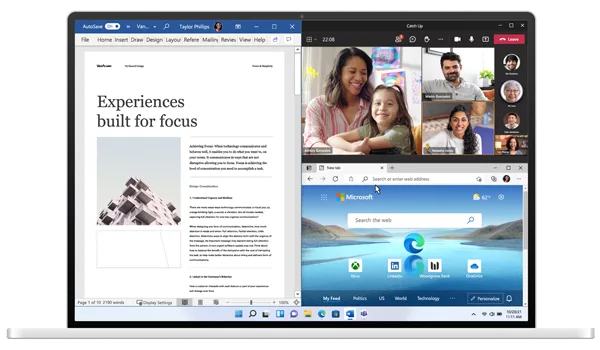
Each install of Windows 11 Pro MAK 20PC Online Activation checks in over the internet and activates automatically — no calling Microsoft, no reading a 40-digit code over the phone. It typically finishes in minutes.
If a device is offline during setup, activation simply completes the next time it connects — there’s no separate step to remember.
Built for Resellers and IT Teams, Not Just One PC
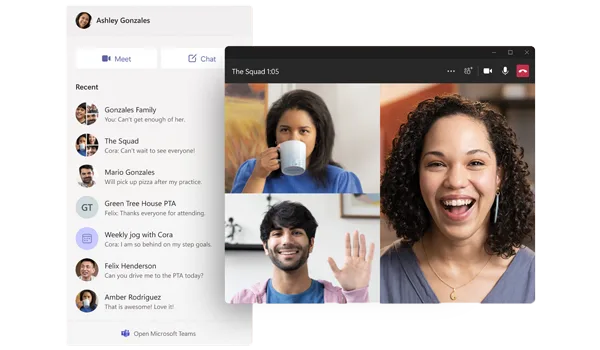
If you’re setting up client machines, a small office, or a computer lab, buying one MAK key for 20 devices is simpler than sourcing 20 retail keys — fewer purchases to track, one license to document.
It pairs naturally with a volume Office deployment too — businesses standardizing on Windows 11 Pro often license Office 2021 Professional Plus across the same fleet.
Windows 11 Pro MAK 20PC
What is included with your purchase.
Genuine License Key by Email
You receive the MAK key by email within minutes of purchase — no CD, no USB drive, no shipping wait. Use it to activate up to 20 devices.
Lifetime License — Pay Once
This is a one-time purchase, not a subscription. Once a device is activated, Windows 11 Pro on that machine doesn’t expire or need renewal.
Online Activation in Minutes
Enter the key during setup or in Windows Settings and activation completes automatically over the internet. No phone call to Microsoft required.
Full Windows 11 Pro Update Access
Every device activated with this key receives the same security patches and feature updates Microsoft ships to any genuine Windows 11 Pro install. Update access isn’t reduced because it’s a volume key.
64-bit Windows 11 Pro, Licensed for Up to 20 Devices
Windows 11 ships 64-bit only. This MAK covers activation for up to 20 separate PCs or laptops from the same key, tracked by Microsoft’s own volume activation count.
Activation Support Included
If a device won’t activate or you need help managing the key across your fleet, reach our support team by WhatsApp, live chat, or email.
Windows 11 Pro MAK 20PC requires a 64-bit capable CPU (1 GHz or faster, 2+ cores), 4 GB RAM minimum, 64 GB storage, UEFI, Secure Boot capable firmware, and a TPM 2.0 module — the same baseline Microsoft requires for any genuine Windows 11 Pro install, regardless of license type.
Windows 11 Pro MAK 20PC — Common Questions
What buyers usually ask before activating across multiple devices.
Does this license expire, or is it a subscription?
It’s a one-time purchase. Once you activate Windows 11 Pro on a device, that license doesn’t expire or require renewal.
What if a device won’t activate?
Check that you’re online and that the correct key was entered in Settings > Activation, then try again. If it still won’t activate, contact our support team and we’ll help resolve it.
How many devices can I activate with one key?
Up to 20. Microsoft’s own volume activation servers track how many devices have used the key against that 20-device limit.
Will this work on any PC?
It works on any 64-bit PC that meets Windows 11’s requirements — TPM 2.0, Secure Boot capable firmware, and a supported CPU. Windows 11 doesn’t have a 32-bit version.
Want more ?
![Windows 11 Professional Activation Key [ Online ]](https://mcakey.com/wp-content/uploads/2024/07/windows-11-professional-2-600x745.webp)


 Windows 11 Pro MAK 20PC Online...
 $199.99
