


No products in the cart.

Windows 11 Pro + Visual Studio Professional 2026 — One Genuine License Key Bundle
Windows 11 Pro + Visual Studio Professional 2026 is a lifetime license key bundle for the Windows 11 Pro operating system and the Visual Studio Professional 2026 development environment, delivered by email. It’s built for developers, students, and IT teams who need a properly licensed Windows machine and a full professional IDE at the same time, without juggling two separate purchases and two separate activation processes.
Buying the two separately usually costs more and means tracking two invoices, two keys, and two support threads. This bundle gives you both genuine keys in a single email, from a Certified Microsoft Partner, so you can set up a clean install of Windows 11 Pro and drop straight into Visual Studio Professional 2026 the same afternoon. If you only need one half of this bundle, we also sell Visual Studio Professional 2026 and Windows 11 Pro on their own.
- License TypeGenuine License Key
- ActivationOnline Activation
- PlatformWindows 11 Pro, 64-bit + Visual Studio Professional 2026
- DeliveryEmail, within minutes
On the OS side you get the full Windows 11 Pro interface: Snap Layouts for arranging your editor, terminal, and browser side by side, a redesigned Start menu, and native support for multiple virtual desktops so you can keep a dev workspace separate from everything else. Visual Studio Professional 2026 sits on top of that with the editor, debugger, and designer tools you’d expect from a professional IDE.
For freelance developers and small teams, this pairing matters because both licenses are genuine and tied to your own account — no shared keys, no relying on someone else’s Visual Studio subscription, no OS that flags a license mismatch six months in.
What Is Included in Windows 11 Pro + Visual Studio Professional 2026
Eight real features from the two products in this bundle — not marketing copy.
BitLocker Drive Encryption
Windows 11 Pro includes full-disk encryption for your system and data drives. Turn it on if your dev machine ever leaves the office — a stolen laptop with encrypted drives is a lot less of a problem.
Remote Desktop Host
Windows 11 Pro can act as a Remote Desktop host, so you can connect back to your dev machine from another PC. Useful for running long builds or CI jobs on a workstation you’re not physically in front of.
Microsoft Entra ID Join
Join the machine to Microsoft Entra ID (Azure AD) for centralized sign-in and policy control. IT teams managing several developer workstations can enforce settings from one place instead of configuring each PC by hand.
Windows Sandbox
Spin up a temporary, isolated desktop to test an installer or an unfamiliar build without touching your real environment. Close it and everything inside disappears — nothing to clean up afterward.
Windows Hello
Sign in with a fingerprint or face recognition instead of typing a password every time you unlock your machine. Faster on a dev box you’re logging back into all day.
Snap Layouts
Hover the maximize button and pick a layout to arrange Visual Studio, a browser, and a terminal on screen at once. Built for exactly the multi-window juggling that comes with real development work.
Multi-Language Solution Support
Visual Studio Professional 2026 handles C#, C++, Python, and JavaScript/TypeScript inside one solution. Use it when a project mixes a backend service with a separate frontend or scripting layer.
Visual Studio Installer Updates
Add or remove workloads and pull the latest IDE updates through the Visual Studio Installer without a full reinstall. Handy when a new project suddenly needs a workload you didn’t install originally.
Windows 11 Pro + Visual Studio Professional 2026 — Built for Real Development Work
A closer look at what each half of the bundle actually does for you day to day.
A Full IDE, Not a Trial
Visual Studio Professional 2026 comes with the full debugger, designer, and profiling tools — not the cut-down Community edition with usage restrictions for commercial teams. If you’re billing clients for the work you build in it, the Professional edition is the one actually licensed for that.
Open a solution with a .NET backend and a JavaScript frontend and Visual Studio handles both without switching editors. That’s the difference between a general text editor and an IDE built around real project structure.
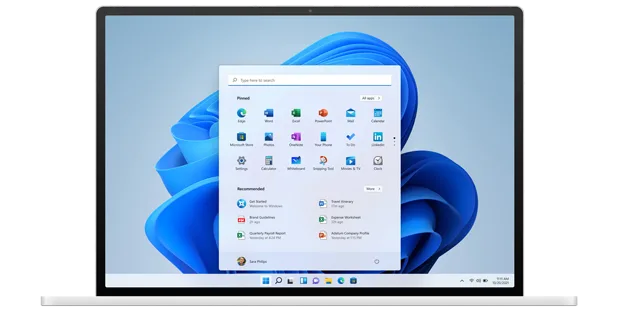
Runs on the Hardware You Already Have
Windows 11 Pro is built for standard laptops and desktops, not just high-end workstations. If your current machine meets Microsoft’s Windows 11 requirements, this key activates on it — you don’t need to buy new hardware alongside the license.
That matters for a bundle like this: you’re paying for the two licenses, not for a device, so whatever you already have keeps working once both keys are activated.
Debugging Tools That Save You Time
Visual Studio’s debugger lets you set breakpoints, step through code line by line, and inspect variables live while a program runs, instead of scattering print statements through your code to figure out what broke. Catching a bad edge case live beats finding it after it reaches a client or a production branch.
Add IntelliCode’s code suggestions on top and the editor is actively working with you while you type, not just highlighting syntax after the fact.
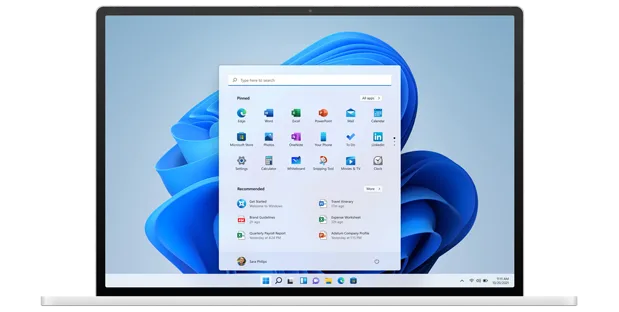
Security Features Aimed at Business Use
Windows 11 Pro includes BitLocker, Secure Boot, and Windows Hello out of the box — the security layer the Home edition doesn’t have. For anyone building software a client or employer will actually rely on, running the Pro edition on the dev machine itself is the sensible baseline.
It also supports domain and Microsoft Entra ID join, so freelancers who eventually bring on a second developer aren’t stuck reinstalling Windows to get there.
Windows 11 Pro + Visual Studio Professional 2026
What is included with your purchase.
Two Genuine License Keys by Email
You receive a genuine Windows 11 Pro key and a genuine Visual Studio Professional 2026 key in the same email — no physical box, no shipping wait.
Lifetime License — Pay Once
Both licenses are perpetual. You pay once and there’s no subscription renewal to track for either product.
Online Activation in Minutes
Both Windows 11 Pro and Visual Studio Professional 2026 activate online directly against Microsoft’s own servers. No phone call needed for either product.
Full Update Access for Both Products
Windows Update keeps the OS patched, and the Visual Studio Installer delivers IDE updates and new workloads as Microsoft releases them.
64-Bit Windows 11 Pro
This key is for the 64-bit edition of Windows 11 Pro, the only edition Microsoft currently ships. Visual Studio Professional 2026 installs on top of it.
Activation Support Included
If either key doesn’t activate cleanly, reach our support team by WhatsApp, live chat, or email and we’ll help you sort it out.
Requires a PC that meets Microsoft’s Windows 11 system requirements, running the 64-bit edition. Visual Studio Professional 2026 installs on top of that Windows 11 Pro installation.
Windows 11 Pro + Visual Studio Professional 2026 — Common Questions
What buyers usually ask before ordering this bundle.
Is this a one-time purchase or a subscription?
It’s a one-time purchase. Both the Windows 11 Pro license key and the Visual Studio Professional 2026 license key are lifetime licenses — you pay once and there’s no renewal.
What if one of the keys doesn’t activate?
Contact our support team through WhatsApp, live chat, or email and we’ll help you activate it — both keys are genuine and covered by our activation support.
Will this work on my current PC?
Yes, as long as your PC meets Microsoft’s Windows 11 requirements and runs the 64-bit edition — the only edition Microsoft currently ships. Visual Studio Professional 2026 installs on top of it.
Do I get two separate keys, or one combined key?
Two separate genuine keys — one for Windows 11 Pro and one for Visual Studio Professional 2026 — both sent in the same email and activated independently.
Want more ?
![Project 2021 Professional Plus For 1 PC [ Online activation ]](https://mcakey.com/wp-content/uploads/2024/07/Project-Professional-2021-1-600x745.webp)
![Windows 11 Home Activation Key [ Online ]](https://mcakey.com/wp-content/uploads/2025/04/windows-11-home-2-600x745.webp)
 Windows 11 Pro + Visual Studio...
 $39.99
